







OnePlus 15 ColorOS 17 India Update Guide: Stable Rollout Tips
OnePlus has officially moved the needle for its flagship users in India. As of 23 October 2026, the stable ColorOS 17 update has begun its rollout for the OnePlus 15, arriving even earlier than the initial roadmap suggested. This transition marks a significant shift as the brand further integrates its software experience with the broader Oppo ecosystem, bringing a suite of advanced AI tools and a completely redesigned visual language.
For Indian users, this is more than just a version bump. It is an overhaul that changes how the hardware interacts with the user. If you have been waiting for a smoother, more intelligent experience on your OnePlus 15, here is everything you need to know about the stable deployment.
Living Flow: A Visual Overhaul for OnePlus 15
The most immediate change in the ColorOS 17 update is the introduction of the Living Flow design architecture. This system focuses on what developers call Luminous Effects and Fluid Motion. Unlike previous iterations that felt somewhat rigid, Living Flow uses physics based animations that respond to the speed of your swipes.
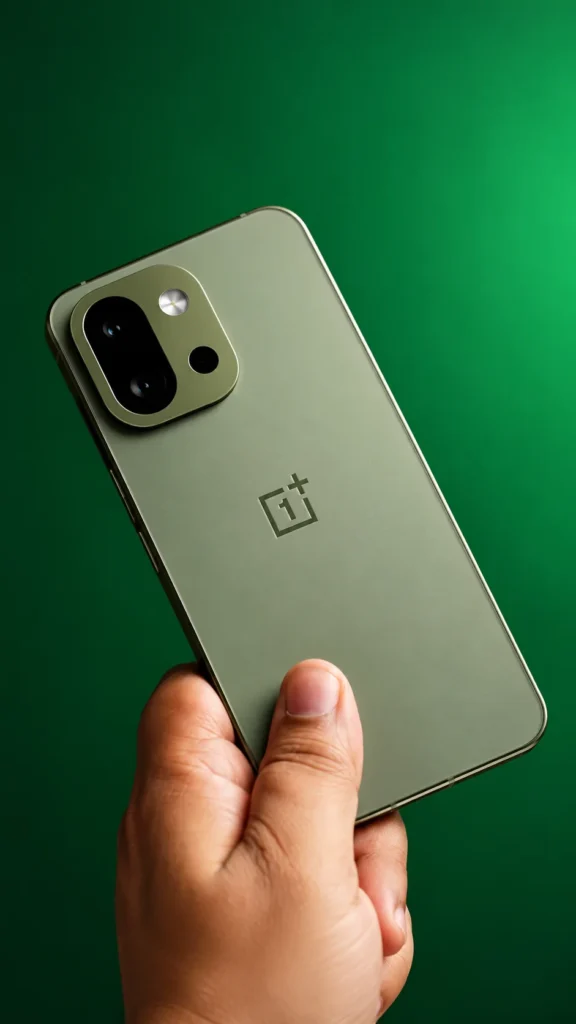
The interface now features expanded progressive blur, making the UI feel deep and layered rather than flat. Notifications and the Quick Settings panel have been revamped with a cleaner look that emphasizes readability. One of the standout visual features is the new Live Alerts UI, which provides real time updates for services like food delivery or ride hailing in a compact, pill shaped bubble at the top of the screen.
AI Mind Pilot and Productivity Tools
Intelligence is at the heart of this update. The standout feature is AI Mind Pilot, which introduces an Agent Mode. This is not just a voice assistant: it is a system level tool capable of organizing files, extracting complex information from lengthy PDFs, and even creating photo collages with simple prompts.

Indian users will particularly benefit from the OSee camera tool. This AI integration improves camera performance by recognizing specific local contexts and optimizing skin tones for the Indian climate and lighting conditions. Additionally, the AI Photo Agent allows for sophisticated object removal and image expansion, rivaling dedicated desktop editing software.
Performance Benchmarks: Speed and Stability
OnePlus has utilized the new Laminar Flow Engine in ColorOS 17 to maximize the Snapdragon silicon inside the OnePlus 15. The technical improvements are measurable and provide a noticeable difference in daily usage.

| Performance Metric | Improvement on ColorOS 17 |
|---|---|
| App Launch Stability | 55 percent better |
| Gallery Thumbnail Loading | 50 percent faster |
| Background App Retention | Over 25 percent increase |
| System Fluidity | Significant reduction in micro stutters |
These numbers translate to a device that feels faster over time. The smarter memory management ensures that heavy apps like Genshin Impact or video editors remain in the background longer without being killed by the system.
Also Read : Nothing Phone 4a Gets Over ₹7,000 Discount on Amazon Ahead of Great Indian Festival Sale
How to Manually Install ColorOS 17 in India
While the update is rolling out via Over The Air (OTA) channels, it is being released in stages. If you do not see the update notification on your OnePlus 15 yet, you can use the Release Candidate method to pull the firmware manually from the servers.

- Open Settings on your device.
- Navigate to System & update and then Software update.
- Tap the three dot menu in the top right corner.
- Select the Beta program option.
- If available, tap the Update button under the Release candidate banner.
- Ensure you are on a stable Wi-Fi connection and have at least 50 percent battery before starting the download.
Privacy and Security: Android 17 Integration
Since this update is based on Android 17, it brings the latest security protocols developed by Google and enhanced by Oppo. The Private Computing Cloud ensures that sensitive AI processing happens locally or in a secure environment, preventing data leaks.
A new feature called AI Call Guard has been introduced to combat the rising number of spam and scam calls in India. It uses on device machine learning to identify suspicious patterns and warn the user in real time. Furthermore, the Family Link controls have been updated to give parents more granular control over app usage and location tracking.
Should You Update? Pros and Cons for India
Transitioning to ColorOS might feel daunting for those who loved the original OxygenOS aesthetic. However, the benefits are hard to ignore. You gain access to a more stable animation engine and cutting edge AI features that were previously unavailable.
On the downside, you will lose some classic OnePlus easter eggs, such as the 1+ calculator trick, and the app icons follow the ColorOS design language. However, for most users, the 55 percent boost in app stability and the superior battery management of Android 17 make this an essential upgrade. It is a polished, professional software experience that makes the OnePlus 15 feel like a brand new phone.
Frequently Asked Questions
Q.Is ColorOS 17 replacing OxygenOS in India?
Yes, for the OnePlus 15 and newer flagships, the software is now officially based on the ColorOS 17 architecture, though some regional customizations for India remain.
Q.What is the firmware version for the update?
While versions vary by specific model, the stable rollout for the flagship series typically follows the CPH2649_17.0.0.102 format for Indian units.
Q.Will I lose my data during the update?
No, a stable OTA update does not wipe your data. However, it is always recommended to back up your photos and documents before performing a major OS transition.
Q.Does it support the new AI Mind Pilot?
Yes, the stable ColorOS 17 update for the OnePlus 15 includes the full suite of AI Mind Pilot features, including Agent Mode and AI Photo Agent.

Tecgadg is your go-to destination for the latest Technology news, Smartphone updates, Entertainment, Gadget reviews, AI tools, and Useful apps. We deliver easy-to-understand guides, trending updates, and helpful insights to keep you informed in the fast-changing digital world.